Download & open
Grab the free app for your Mac or PC — a small installer with nothing bundled. Open it and the drop zone is waiting for your pictures.
Your pictures look perfect on your phone, then a friend or a website says "file not supported." This friendly HEIC converter rewrites iPhone photos as everyday JPG, PNG or PDF, so they open on any Windows PC, email, upload form or printer. Free, runs on your own computer, nothing uploaded.
Three small steps stand between an unopenable iPhone photo and one your family, your boss or a website can actually see.
Grab the free app for your Mac or PC — a small installer with nothing bundled. Open it and the drop zone is waiting for your pictures.
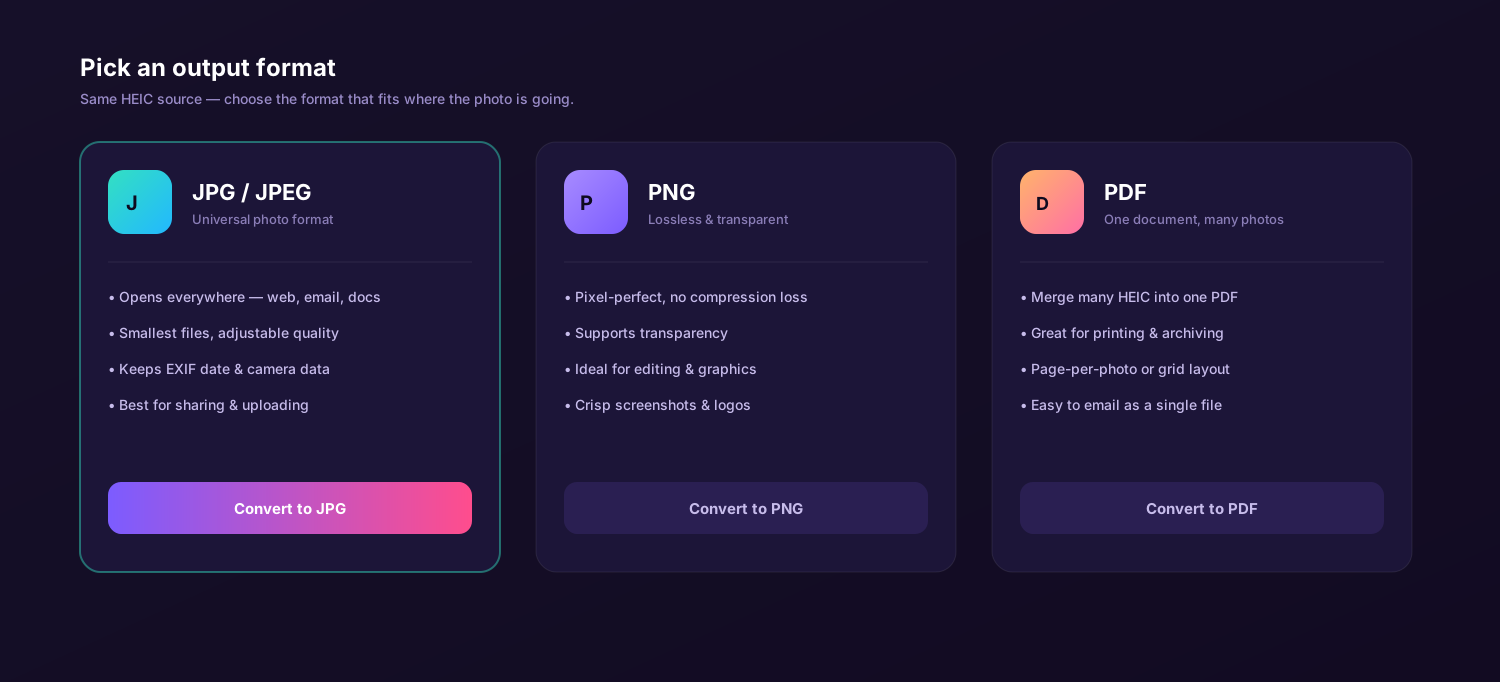
Drag in the photos you need to share, then choose JPG for email, PNG for the web, or PDF to bundle several into one file.
Click Convert and attach the new copies. The person on the other end opens them on the first try — no "unsupported file" message.
A small, friendly app that takes the guesswork out of sharing iPhone pictures with people who aren't on Apple devices.
Turn Apple's HEIC and HEIF pictures into the formats the rest of the world reads. Pick JPEG for email and texts, PNG for crisp web uploads, or merge a set into a single PDF for paperwork and print shops — one drop covers all three.
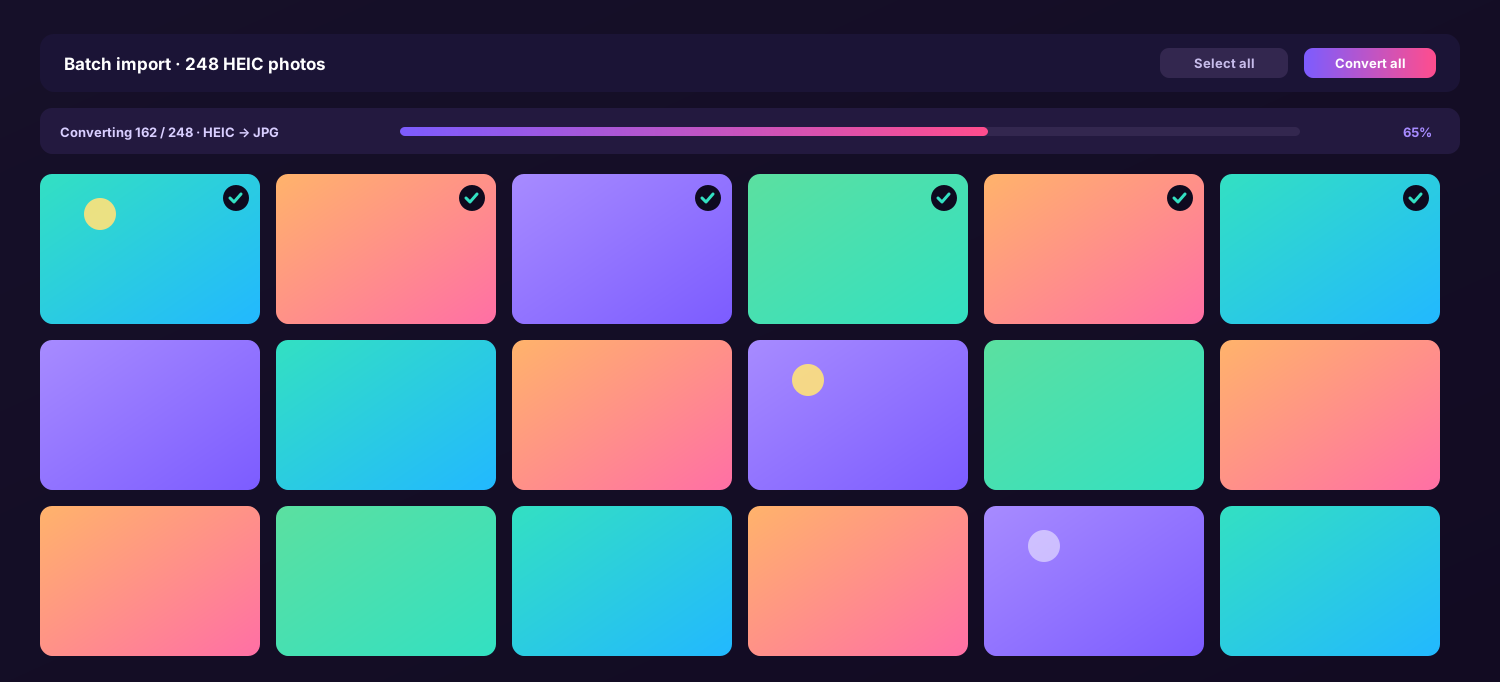
Drop an entire camera roll and convert every photo in one go before you email or share the lot.
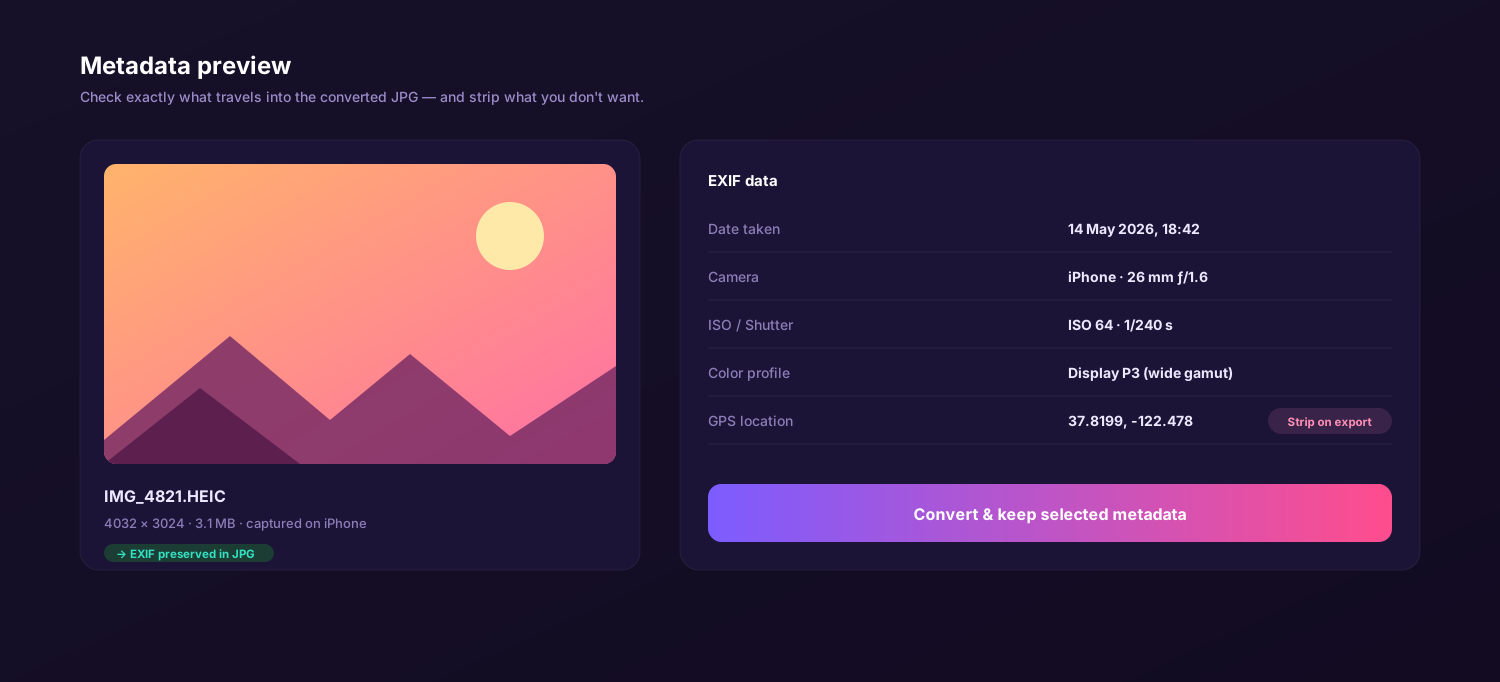
The picture looks identical and the date, camera and place stay attached, so shared photos stay sorted.
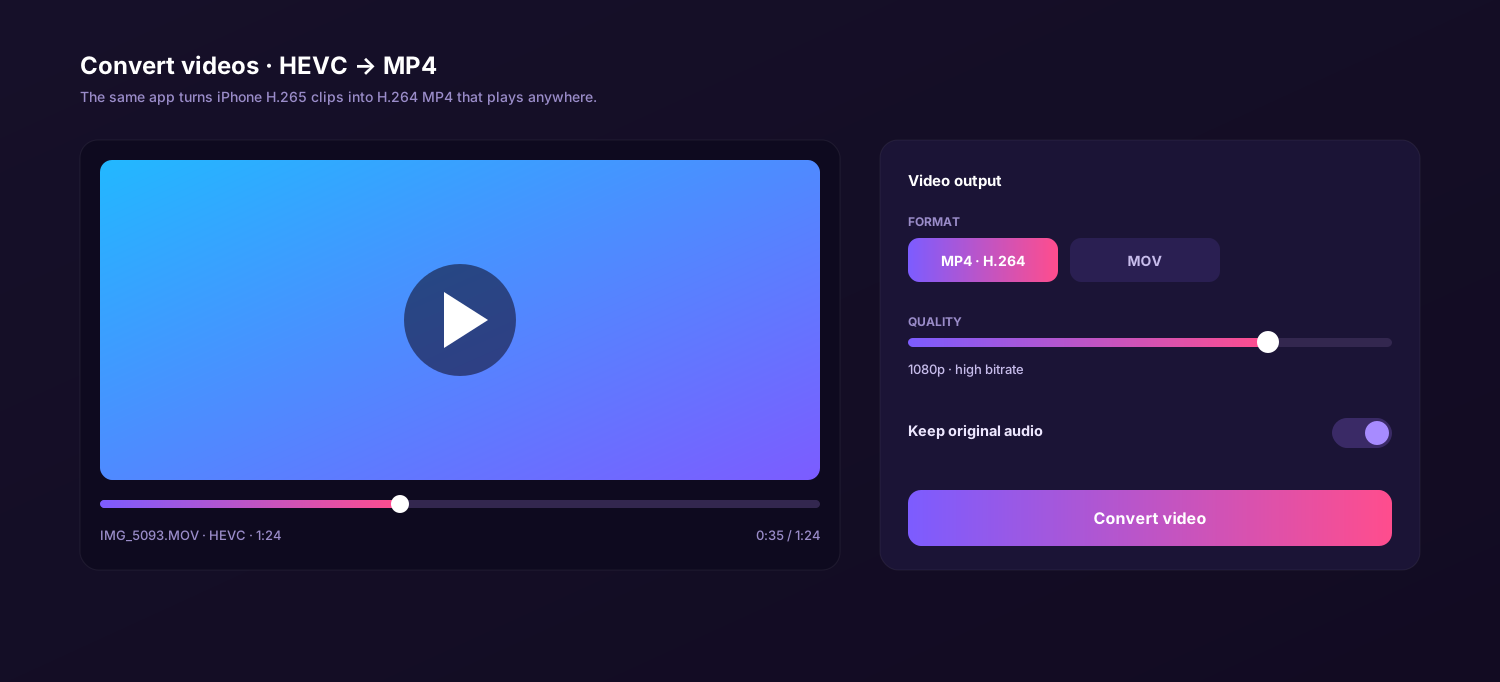
Those iPhone clips that won't play on a PC? Convert them to plain MP4 so they run in any media player, on a laptop or on a projector — sound kept.
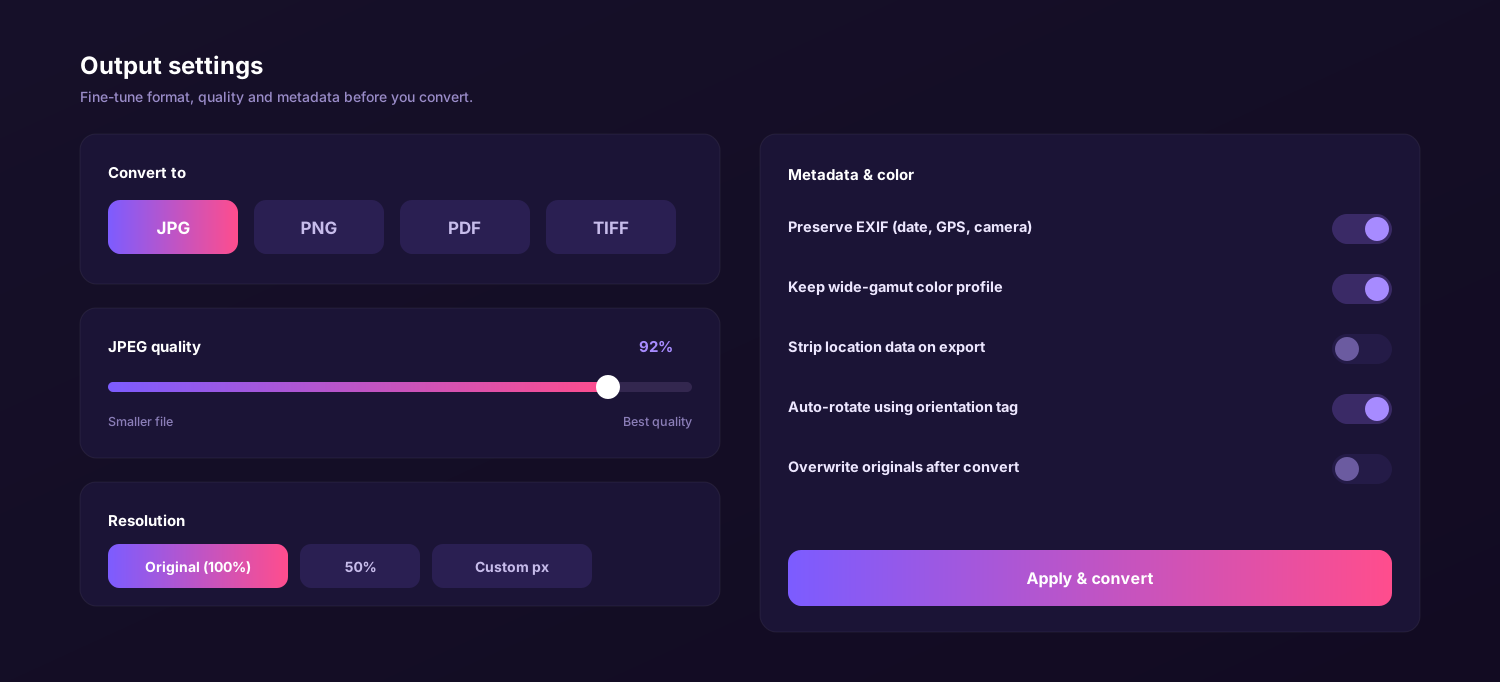
Resize and set quality so a photo slips under an email or portal size cap.
Everything happens on your device. Personal photos are never sent to a server — no upload, no account.
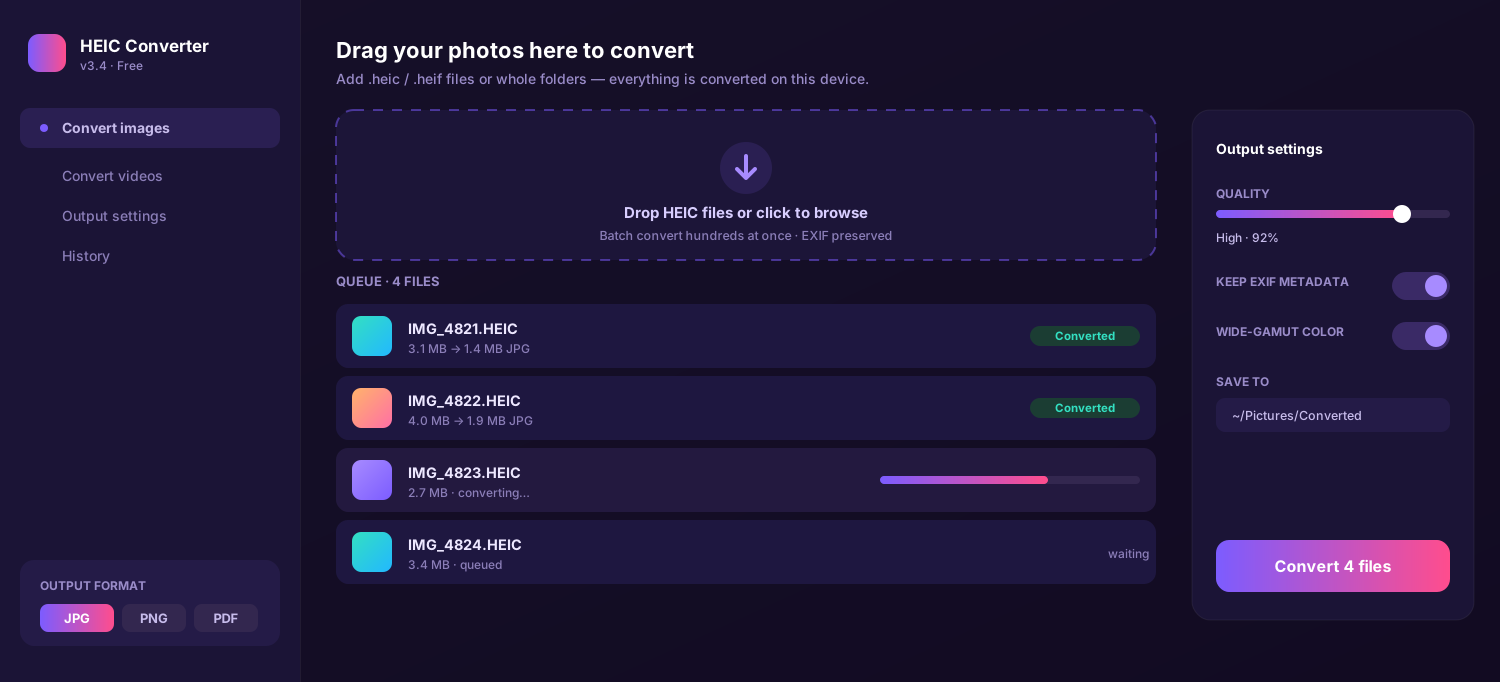
Drag, drop, convert, send. Click through the tabs to see the queue, importing an album, the format picker, settings, the photo details and video conversion.
Six things that matter when the photos are personal and the people receiving them aren't tech experts.
| Feature | This app | Online converter | Preview / Photos | Email yourself |
|---|---|---|---|---|
| Stays on your computer | ||||
| A whole album at once | Daily cap | Manual | ||
| JPG, PNG & PDF output | JPG/PNG | |||
| Keeps the date & place | Varies | Varies | ||
| No upload of private photos | ||||
| Price | Free | Free / paid tiers | Free | Free |
↔ swipe to compare all columns
The same free app runs on both, so whoever is sending the photos can fix them on their own computer.
On a MacBook the photos open fine for you, but a JPG copy is what travels well to everyone else. Drag pictures from Photos or Finder, convert, and attach versions your Windows-using relatives can finally see.
Got a folder of iPhone photos from someone and they won't open? That is the most common HEIC headache on a PC. Drop them in, convert to JPG, PNG or PDF, and they open in Photos, Office and every browser as normal.
My mum kept saying the grandkids' photos "wouldn't come up" on her old laptop. I ran the album through this HEIC converter, sent them again as JPG, and she opened every one. No more confused phone calls.
Full version for Mac and Windows. No subscription, no watermark, no daily limit. Convert HEIC to JPG, PNG or PDF — and HEVC video to MP4 — right on your own device so your photos open for everyone.
A photo that looks perfect on your iPhone can land in someone's inbox as a file they simply cannot open. The reason is the HEIC format Apple uses to save space, and the cure is a heic converter that rewrites those pictures into everyday files. The quickest path is a free heic to jpg converter, because JPG is the format almost every device, website and printer already understands.
The tool here is a small desktop app rather than a website — a true heic file converter that runs on your own Mac or PC. You drag in the photos you want to share, choose a format, and this gentle heic image converter writes clean copies you can attach, upload or print. There is no sign-up and no waiting, and as a free heic converter you keep, it handles one screenshot for a form as happily as a whole holiday album.
The short version: if people keep saying your photos "won't open," convert them to JPG before you send. This heic to jpg converter free of charge is the full app, with no trial countdown.
HEIC stores about the same quality as a JPEG in roughly half the file size, which is great for your phone's storage. The trouble starts the moment a photo leaves Apple's world: a Windows PC, an email preview, an older Android phone or a website upload box may not recognise it at all. A heic to jpeg converter fixes that by decoding the original and saving it again as a file those devices expect, so the recipient sees the picture instead of a warning.
Most everyday sharing needs only two outputs. JPG keeps files small for email, texts and social posts, while a heic to png converter gives you a clean copy that web forms and editors accept. Because the work happens on your machine, a heic to png converter free of upload limits can process a full folder without sending anything online — and the same app exports PDF, so a stack of receipts or a school form becomes one document to send.
"My job application kept rejecting my ID photo. Converted it to JPG in one click and the form accepted it straight away."
Your MacBook opens HEIC without complaint, so it is easy to forget the people you send photos to cannot. That is why a Mac heic converter to jpg matters before the pictures leave your machine. Here is what to know when you convert on a MacBook, iMac or Mac mini.
Pick the shots from Photos, Finder or an AirDrop folder and drop them in. As a free heic to jpg converter for Mac, the app reads HEIC on its own — no plug-in or setup before you can share.
Color and the EXIF date carry into the JPEG, so a photo you email looks just as it did on your phone and still sorts by date. A good heic to jpg free converter never dulls your shots.
Sending paperwork? The built-in heic to pdf converter merges several photos into one document, ideal for emailing a signed form, an ID scan or a set of receipts to an office.
Drag, choose JPG, send. On a Mac the app keeps the date and colors intact while it writes copies ready to email or upload.
Web tools are handy for a single picture, but they ask you to upload private photos to a stranger's server and cap how many you can do. Three honest comparisons for everyday sharing.
Windows is where most of these headaches happen. Someone sends their iPhone pictures, you double-click, and the file refuses to open without a paid codec from the Store. This app is the simplest heic converter to jpg for a PC: install it, drag the files in, and they become normal images that File Explorer, Word and every browser display normally — perfect for printing, a portal upload or a work document.
It also doubles as a heic converter to pdf, so a pile of phone snapshots becomes one printable file you can attach to an email. Everything runs on the PC itself; as a free heic to pdf converter that never uploads a thing, it is a far safer choice than pasting personal photos into a website.
The routine is the same on a Mac or a PC and takes about a minute. Once it is set up you rarely touch the options again — your last choices are remembered next time.
Get the free app for macOS or Windows from the Download button on this page — a tiny installer with nothing extra.
Drop single pictures or a whole folder into the window. The queue lists each one so you see exactly what is going out.
Pick JPG for email, PNG for an upload form, or PDF for paperwork, set the size if there is a limit, then keep or remove the location.
Click Convert. The new copies appear in your chosen folder in seconds — attach, upload or print them, done.
Set it once. Your format and size choices are saved for the next batch you need to send.
The photos you send are personal — your kids, your documents, the picture of an ID for a form. Converting those on a website means handing them to a server you do not control. A local app keeps every photo on your own machine from drop to attachment.
The app changes the format entirely on your Mac or PC. There is no upload, no account and no cloud copy left behind — which makes it the safest free heic to pdf converter and JPG tool for sensitive photos and paperwork you are about to send. That is the whole point.
Whether you need a quick heic to jpeg converter free of cost for one screenshot, or a heic to pdf converter free for a month of receipts, doing it on your own device is faster, more private and genuinely unlimited. One small download covers photos and video on Mac and Windows, so your pictures finally open wherever they land.
The easy way to make iPhone HEIC photos open on any computer, email, upload form or printer. Free download, no subscription, no watermark — works offline on Mac and Windows.
iPhones save pictures as HEIC files to save space, but Windows PCs, email previews, upload forms and older phones often cannot read that format and show an error instead. Running the photos through a heic file converter turns them into JPG, PNG or PDF that open for everyone you send them to.
Yes. It is a free heic converter with no trial timer, no watermark and no daily limit. You can convert one photo for an upload form or a whole album to email family, and HEVC video to MP4 is included as well.
Open the app, drag the photos in, choose JPG and click Convert. This heic to jpg converter writes standard JPEG copies you can attach to any email, and the recipient sees them open normally on a PC, phone or web preview.
Yes. Many upload forms, application portals and document systems reject HEIC. Convert the file to JPG or PNG first and it will pass the upload check, because a heic to png converter and JPG output produce the standard formats those forms expect.
Yes. The picture looks the same and the EXIF date, camera and location stay attached when you export to JPEG, so shared photos remain sorted by when they were taken. You can also strip location before sharing if you prefer.
Yes. Besides JPG, the app is a heic to png converter for clean web copies and a heic to pdf converter that bundles several photos into one document — handy for emailing paperwork or sending a printable set to a print shop.